
 凡心
凡心
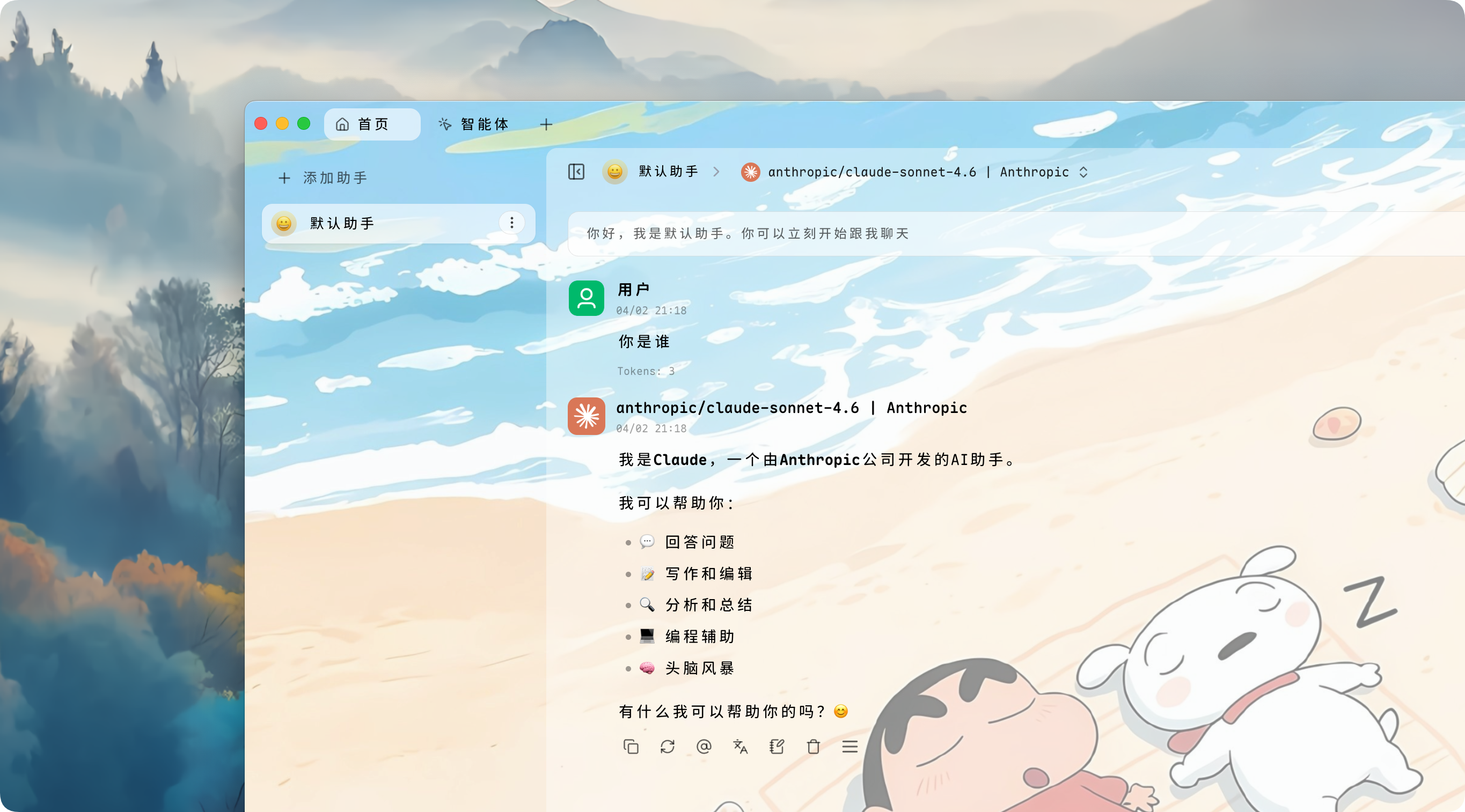
今天闲的没事翻找 Github 发现我经常的用的程序
现在发给大家我修改过的版本,大家也可以查看一下原作者
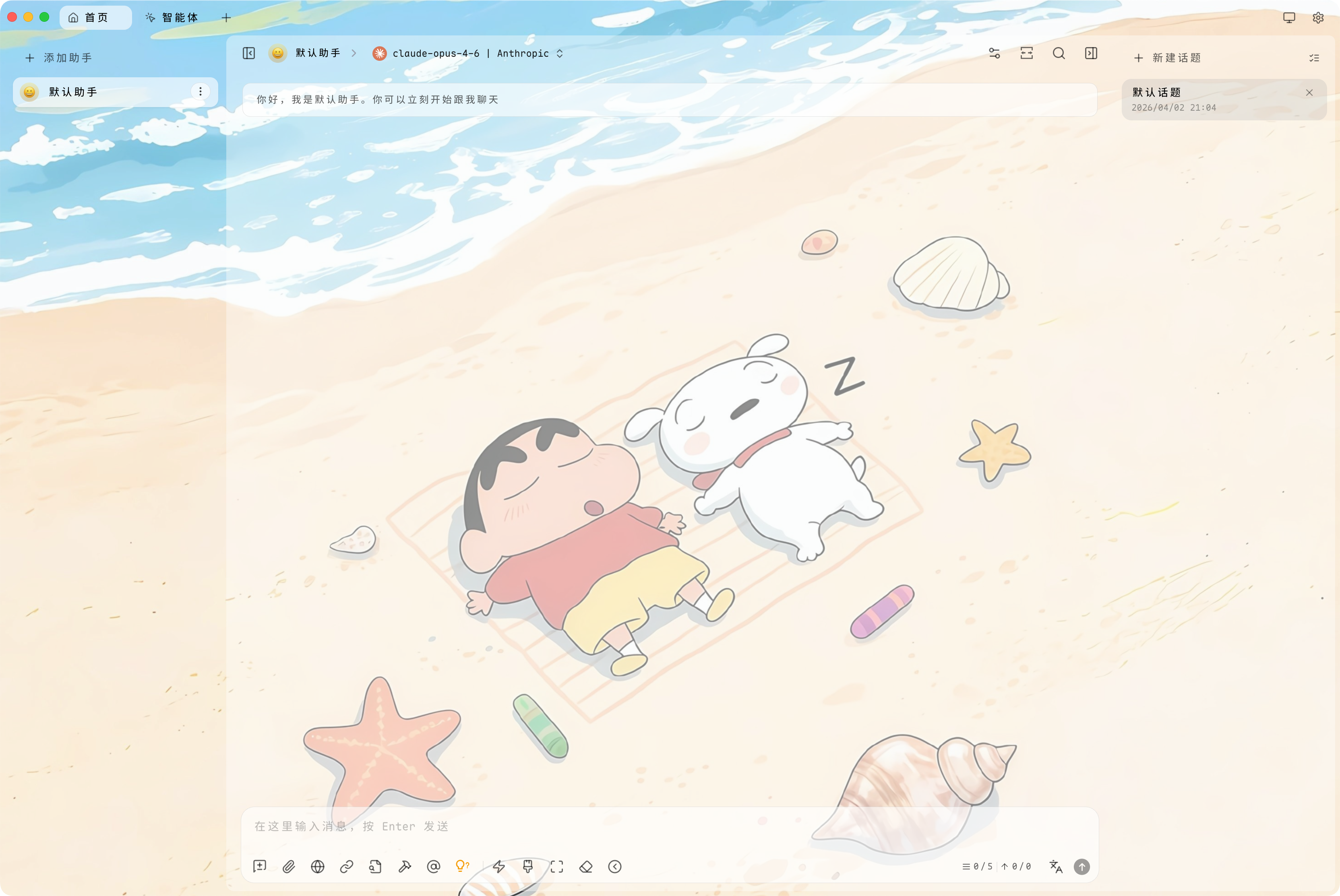
主题 CSS
/* Cherry Studio 玻璃拟态主题 (Aero) */
/* 项目地址: https://github.com/hakadao/CherryStudio-Aero */

/* --- 自定义背景图开始 --- */
body::before {
  content: "";
  position: fixed;
  top: 0;
  left: 0;
  width: 100%;
  height: 100%;
  z-index: -1; /* 确保背景在内容最底层 */

  /* 背景图设置 */
  background-image: url("https://halo-1314391003.cos.ap-beijing.myqcloud.com/halo/1775115908030.png");
  background-size: cover;
  background-position: center;
  background-repeat: no-repeat;

  /* 模糊度设置:数值越大越模糊(当前设为 0px,如需模糊可改为 10px) */
  filter: blur(0px);

  /* 稍微放大 1.1 倍以消除模糊带来的边缘白边(如果 blur 为 0px,此项可改为 1.0) */
  transform: scale(1.1);
}

/* 调整原本不透明的面板,让背景图能透出来 */
body[theme-mode='light'] {
  --aero-background-solid: hsla(0, 0%, 100%, 0.7) !important; /* 浅色模式半透明 */
}

body[theme-mode='dark'] {
  --aero-background-solid: rgba(22, 22, 22, 0.7) !important; /* 深色模式半透明 */
}

/* 确保页面主容器也是透明的 */
[class^='PageContainer'] {
  background-color: transparent !important;
}
/* --- 自定义背景图结束 --- */

/* 浅色模式变量定义 */
body[theme-mode='light'] {
  --fill-1: hsl(220 10% 100% / 0.6);
  --fill-2: hsl(220 10% 50% / 0.1);
  --fill-3: hsl(220 10% 50% / 0.14);

  --color-white: var(--fill-1);
  --color-white-soft: var(--fill-2);
  --color-white-mute: var(--fill-3);

  --color-list-item: var(--fill-1);
  --color-list-item-hover: var(--fill-2);

  --aero-background-1: hsl(0 0% 100% / 0.2);
  --aero-background-2: hsl(0 0% 100% / 0.4);
  --aero-background-3: hsl(0 0% 100% / 0.6);
  --aero-background-solid: hsl(0 0% 100% / 1);

  --navbar-background: hsl(220 20% 94%);
  /* 移除 macOS 导航栏背景,使其更透明平滑 */
  --navbar-background-mac: hsl(220 20% 94% / 0.2);
}

/* 深色模式变量定义 */
body[theme-mode='dark'] {
  --aero-background-1: rgba(22 22 22 / 0.2);
  --aero-background-2: rgba(22 22 22 / 0.4);
  --aero-background-3: rgba(22 22 22 / 0.6);
  --aero-background-solid: rgba(22 22 22 / 1);
}

/* 根变量定义(通用填充颜色) */
:root {
  --fill-1: rgba(120 120 122 / 0.15);
  --fill-2: rgba(120 120 122 / 0.2);
  --fill-3: rgba(120 120 122 / 0.25);

  --color-black: var(--fill-1);
  --color-black-soft: var(--fill-2);
  --color-black-mute: var(--fill-3);

  --color-list-item: var(--fill-1);
  --color-list-item-hover: var(--fill-2);
}

/* 重置 Ant Design 组件的浅色模式肤色变量 */
body[theme-mode='light'] *,
body[theme-mode='light'] [class^='ant'] {
  --ant-select-selector-bg: var(--aero-background-1);
  --ant-color-bg-container: var(--aero-background-1);
  --ant-segmented-item-selected-bg: var(--aero-background-3);
  --ant-button-default-bg: var(--aero-background-1);
  --ant-radio-button-bg: var(--aero-background-1);
}

/* 重置 Ant Design 组件的深色模式肤色变量 */
body[theme-mode='dark'] *,
body[theme-mode='dark'] [class^='ant'] {
  --ant-select-selector-bg: var(--fill-1);
  --ant-color-bg-container: var(--fill-1);
  --ant-segmented-item-selected-bg: var(--fill-3);
  --ant-button-default-bg: var(--fill-1);
  --ant-radio-button-bg: var(--fill-1);
}

/* 当导航栏位置在左侧时的适配 */
[navbar-position=left][theme-mode=light] {
  --color-list-item: var(--fill-1);
  --color-list-item-hover: var(--fill-2);
}
[navbar-position=left][theme-mode=dark] {
  --color-list-item: var(--fill-1);
  --color-list-item-hover: var(--fill-2);
}
[navbar-position="left"] .home-tabs {
  background-color: var(--aero-background-1);
}

/* 修复新窗口背景问题以适配新 UI */
[class^='PageContainer'] {
  background-color: var(--aero-background-solid) !important;
}

/* 根据系统配色偏好微调 */
@media (prefers-color-scheme: dark) {
  body[theme-mode='light'] {
    background: hsla(0 0% 100% / 0.3);
  }
}

@media (prefers-color-scheme: light) {
  body[theme-mode='dark'] {
    background: rgba(0 0 0 / 0.2);
  }
}

/* 设置内容容器背景色 */
[theme-mode='light'] #content-container,
[theme-mode='light'] .minapp-drawer .ant-drawer-body {
  background-color: var(--navbar-background-mac, var(--navbar-background));
}

[theme-mode='dark'] #content-container,
[theme-mode='dark'] .minapp-drawer .ant-drawer-body {
  background-color: rgba(22 22 22 / 0.05);
}

/* 使主要区块背景透明 */
.home-tabs,
[class^='ProgramSection'],
[class^='IconSection'],
#messages,
[class^='SettingContainer'] {
  background-color: transparent;
}

/* 话题列表项菜单透明化 */
[class^='TopicListItem'] .menu {
  background-color: transparent !important;
}

/* 输入栏和系统提示词区域背景 */
#inputbar,
.system-prompt,
[class^='CardContent'] {
  background-color: var(--fill-1);
}

/* 浅色模式下的聊天窗、设置组和智能体卡片容器 */
[theme-mode='light'] #chat,
[theme-mode='light'] [class^='SettingGroup'],
[theme-mode='light'] [class^='MainContainer'],
[theme-mode='light'] [class^='AgentCardContainer'] {
  background-color: var(--aero-background-2);
}

/* 设置页面中“模型服务商”右侧的内容区域背景 */
[theme-mode='light']
  [class^='ProviderListContainer']
  + [class^='SettingContainer'] {
  background: var(--aero-background-2) !important;
}

/* 深色模式下的对应区域背景 */
[theme-mode='dark'] #chat,
[theme-mode='dark'] [class^='SettingGroup'],
[theme-mode='dark'] [class^='MainContainer'],
[theme-mode='dark'] [class^='AgentCardContainer'] {
  background-color: var(--aero-background-1);
}

[theme-mode='dark']
  [class^='ProviderListContainer']
  + [class^='SettingContainer'] {
  background: var(--aero-background-1) !important;
}

/* --- 修复搜索结果、弹窗、划词助手过于透明的问题 --- */
[theme-mode='light'] [class^='ant-modal'],
[theme-mode='light'] #root[style*='background: var(--color-white)'],
[theme-mode='light'] [class^='WindowFrame'], /* 划词助手面板 */
[theme-mode='light'] .ant-tooltip-inner, /* 文字提示背景 */
[theme-mode='light'] [class^='GroupItem'] {
  --color-white: #ffffff;
  --color-white-soft: rgba(0, 0, 0, 0.04);
  --color-white-mute: #eee;
  --color-background: var(--color-white);
  --color-background-soft: var(--color-white-soft);
  --color-background-mute: var(--color-white-mute);
  --modal-background: var(--color-white);
  --ant-modal-content-bg: var(--aero-background-solid);
}

[theme-mode='dark'] [class^='ant-modal'],
[theme-mode='dark'] [class^='WindowFrame'],
[theme-mode='dark'] .ant-tooltip-inner,
[theme-mode='dark'] [class^='GroupItem'] {
  --color-black: #181818;
  --color-black-soft: #222222;
  --color-black-mute: #333333;
  --color-background: var(--color-black);
  --color-background-soft: var(--color-black-soft);
  --color-background-mute: var(--color-black-mute);
  --modal-background: var(--color-black);
  --ant-modal-content-bg: var(--aero-background-solid);
}

/* 消息气泡和通用颜色重置 */
.bubble .message-user,
[class^='ant'] {
  --color-black: #181818;
  --color-black-soft: #222222;
  --color-black-mute: #333333;
  --color-white: #ffffff;
  --color-white-soft: rgba(255, 255, 255, 0.8);
  --color-white-mute: rgba(255, 255, 255, 0.94);
  --chat-text-user: var(--color-black);
}

/* 修复 Windows 系统上快速助手背景透明导致的文字难辨认问题 */
body[theme-mode='light'][os='windows'] {
  --color-background: hsla(0 0 100% / 1);
  --color-background-opacity: hsla(0 0 90% / 0.6);
}
body[theme-mode='dark'][os='windows'] {
  --color-background: hsla(0 0 8% / 1);
  --color-background-opacity: hsla(0 0 8% / 0.6);
}

/* 修复快捷面板文字识别度低的问题 */
[class^='QuickPanelBody'] {
  background-color: var(--aero-background-3) !important;
}

/* 修正小程序抽屉标题阅读困难及搜索栏背景过透的问题 */
#root[style*='background: var(--color-background)'],
.ant-drawer-content[style*='background-color: var(--color-background)'],
[class^='SearchBarContainer'] {
  background: var(--aero-background-solid) !important;
}

/* Markdown 内容背景透明化 */
.markdown [class^='Container'] [class^='Header']+[class^='Content'] {
  background: transparent;
}

/* --- Windows 平台背景强制渲染 --- */

/* 强制重置 HTML 和 Body 的背景,防止组件渲染层覆盖掉背景图 */
html, body {
  background: transparent !important;
}

/* 确保背景层在 Windows 下有足够的渲染优先级 */
body::before {
  z-index: -9999 !important; /* 强制置于最底层 */
  filter: blur(0px) !important;
}

/* Windows 下部分容器可能会强制设置背景色,导致背景图被盖住 */
[class^='AppContainer'],
#root,
.ant-layout {
  background: transparent !important;
}

/* 如果发现特定层级(如侧边栏背景)仍然遮挡背景图 */
[class^='SidebarContainer'],
[class^='NavbarContainer'] {
  background: transparent !important;
}

/* 修正 Windows 下可能出现的滚动区域背景遮挡 */
main,
#content-container,
[class^='PageContainer'] {
  background: transparent !important;
}